IsaiX: Rebuilding a Flash-Based Training Platform to Run on Every Device
Executive Summary
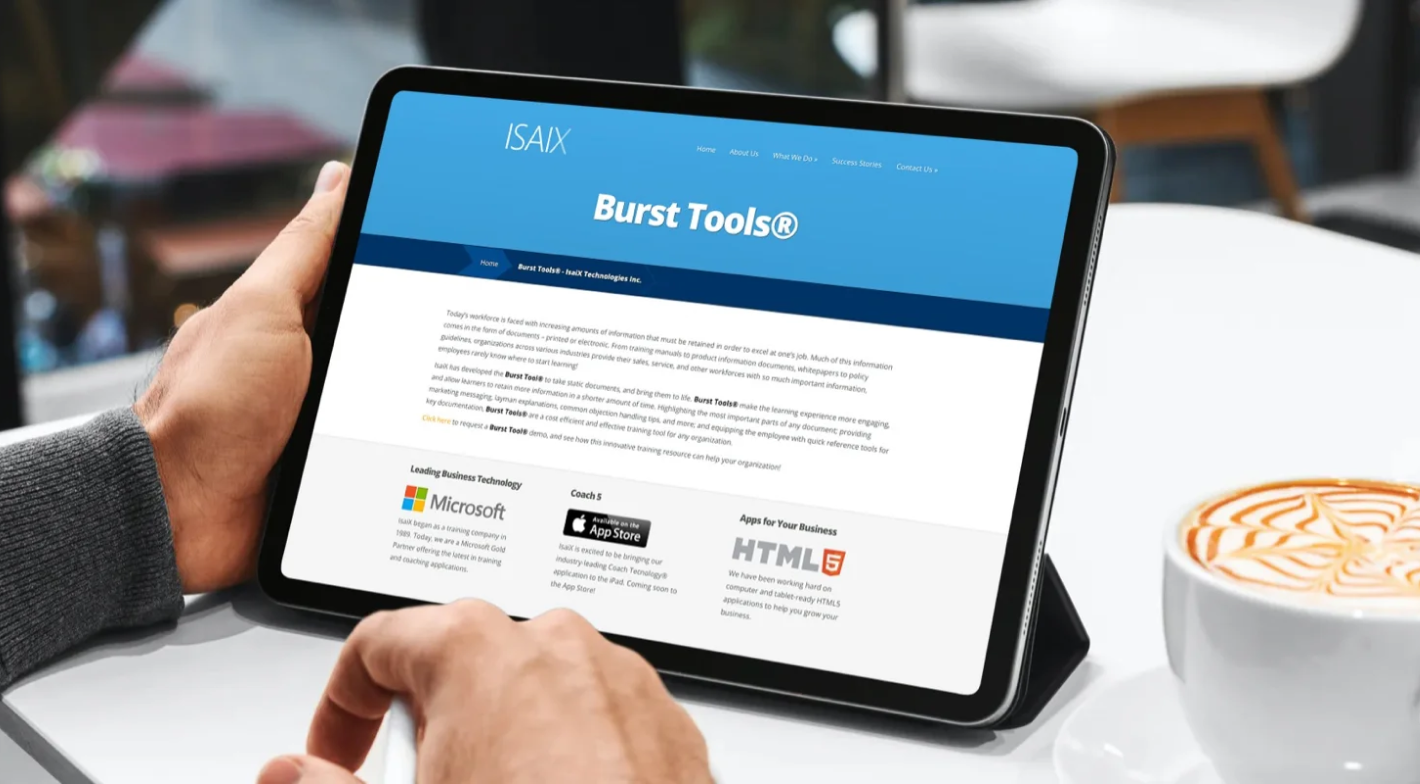
IsaiX Technologies had built Burst to solve a real problem. Corporate and medical training content was sitting in email attachments and shared network drives, with no way to annotate it, organise it or track who had actually read it. Burst gave trainers a way to publish that content and learners a way to work through it.
The problem was the technology underneath. Burst ran on Flash, on both the admin authoring tool and the end-user viewer. That made it a desktop-only product at exactly the point when the people consuming training content, including field engineers, plant workers and medical professionals, had moved to tablets and phones. The product was not underperforming. It was locked out of the devices its market was standing on.
Net Solutions rebuilt Burst from the ground up. We started with a scoped four-week proof of concept to prove a Flash-free mobile reader could deliver the interaction model Burst depended on, then worked through a phased rebuild: a Flash-free authoring surface, a responsive HTML5 reader for desktop, tablet and smartphone, SCORM 1.2 and SCORM 2004 export built into the core, in-app annotation, offline course packages, a native quiz engine and multi-tenant white-labelling.
The rebuilt platform went on to be adopted across IsaiX’s enterprise client base, and the engagement became a product development partnership that has now run for more than a decade.
Client Snapshot
Company: IsaiX Technologies Inc.
Industry: Enterprise training and EdTech software
Geography: Montreal, Quebec, Canada
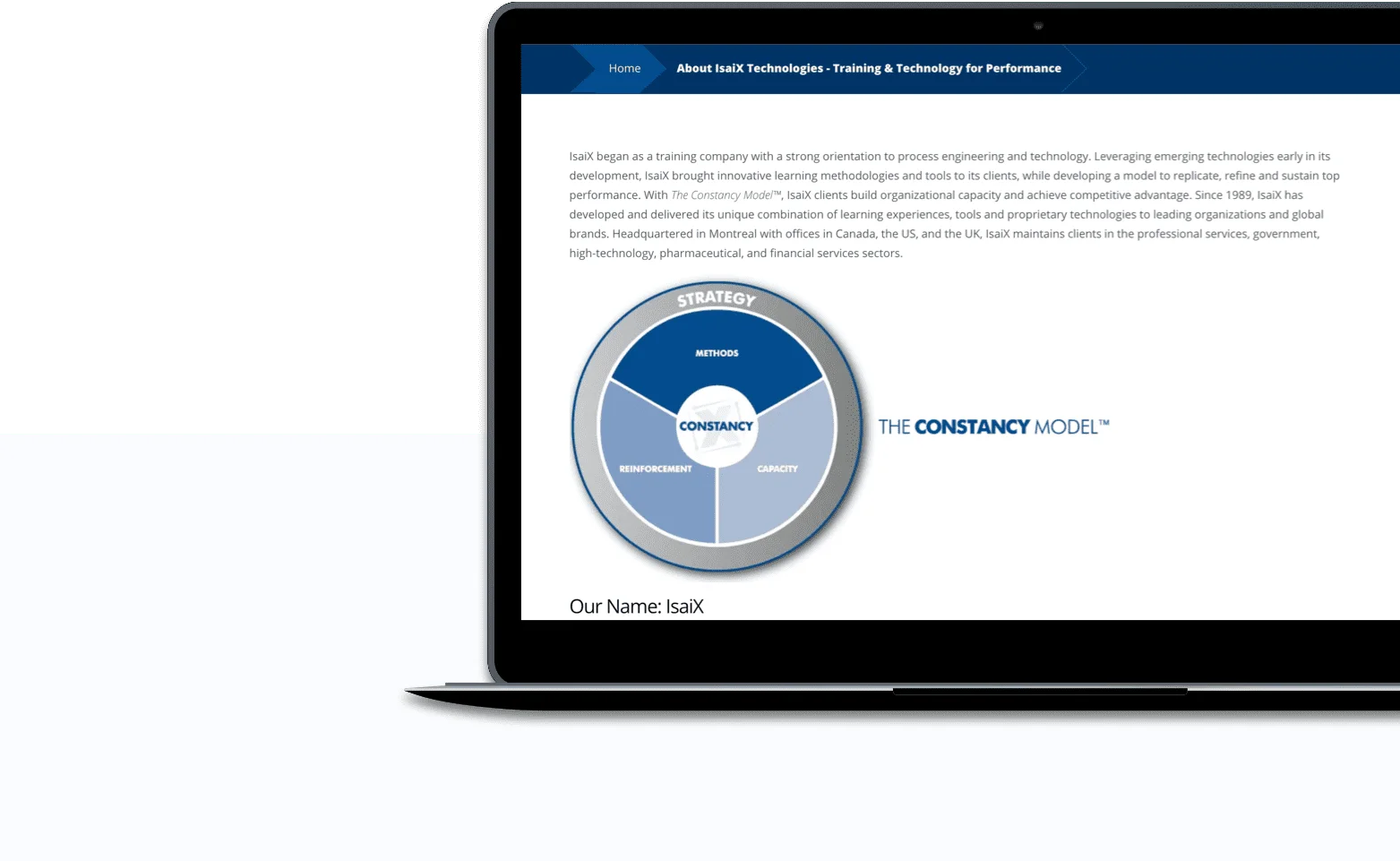
What IsaiX does: Enterprise workforce learning and development, interactive document annotation, SCORM-compliant course authoring and distribution, and training technology for corporate and medical clients
Delivery scope: Proof of concept, cross-platform web and mobile engineering, SCORM engine integration, multi-tenant architecture
Platforms built: HTML5 reader for desktop, tablet and mobile, admin authoring surface, multi-tenant admin console
“I have been working with Net Solutions from past two years. They really go the extra mile to make every last detail the way you want it. In short, great people, top notch quality, highly recommended.”
Kanwar Singh
Project Manager | IsaiX Technologies
Outcome
Flash removed entirely, with the platform rebuilt on open web standards rather than wrapped or patched
Device reach expanded from a single desktop layout to supported browser and device combinations across desktop, tablet and mobile
SCORM 1.2 and SCORM 2004 export built in, so client organisations could drop Burst packages into an existing LMS without backend changes
Offline course access, making the platform usable in plants, remote sites and other low-connectivity environments
Adoption across the majority of IsaiX’s enterprise client base, covering corporate, engineering and medical training programmes
A partnership that passed ten years, with Burst becoming the foundation for continued product development together
The Challenge
A deprecated runtime is not a feature gap that can wait for the next roadmap cycle. Flash was being removed from browsers and operating systems, and every month Burst stayed on it was a month closer to a product that simply would not open. Meanwhile, the devices IsaiX’s clients wanted to train on had never been able to run it in the first place.
Legacy Flash Lock-In
Both the admin authoring tool and the end-user viewer required Flash, which ruled out iOS, Android and tablets completely. There was no partial fix available, because the authoring surface and the reader would both have to move.
A Layout Built for One Screen
The platform had no responsive behaviour, no touch navigation and no mobile layout. A field worker with a smartphone had nothing usable, even before the Flash question.
Training Content Scattered Across Drives and Inboxes
Materials lived in email attachments and shared network drives, with no central search and no way to annotate a document in place. Learners were working from copies nobody could track or update.
Authoring by Coordinates
To mark up a document, admins manually entered coordinate points rather than selecting text by dragging over it. Every piece of content took longer to prepare than it should have, which quietly limited how much content got prepared at all.
No Offline Capability
Manufacturing floors, remote field sites and secure facilities do not offer reliable internet. Anything that assumed a live connection stopped working exactly where reference material mattered most.
Missing Assessment and Branding Tools
There was no native quiz builder, no glossary, no cross-document search and no white-labelling for client organisations, all of which were becoming table stakes in enterprise learning procurement.
Our Approach
Replacing the runtime underneath a live commercial product is a high-risk move, so we structured the work to take the risk out before IsaiX had to commit to it.
A four-week proof of concept first. We built a working Flash-free reader prototype on iOS to validate cross-device rendering and touch mechanics against real content. IsaiX made the decision to fund a full rebuild with a working artefact in hand rather than an estimate.
Two surfaces, one content model. We separated the admin authoring surface from a responsive HTML5 and JavaScript reader, both drawing from a unified content backend. Authors create content once, and it renders correctly wherever it is opened.
SCORM built into the core, not bolted on. SCORM 1.2 and SCORM 2004 export went into the platform architecture itself, so LMS interoperability was a property of the product rather than a per-client integration project.
Phased feature expansion. We rebuilt the core reader and markup capability first to establish parity, then extended the platform with glossaries, a resource library, cross-document search, the quiz engine and the offline package exporter.
Multi-tenancy designed in. The Burst Manager and Vendor Manager consoles were engineered for multi-client administration from the start, including per-client theming, previews and safeguards against deleting assets still in active use.
The Solution
Six systems, sequenced so each one made the next one possible.
01.
Flash-Free Cross-Device Reader
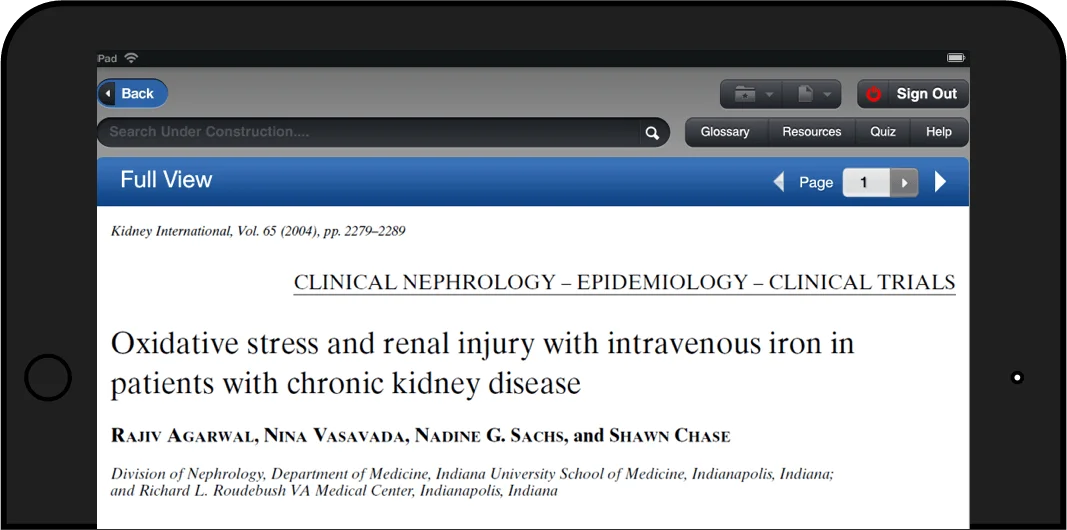
We rebuilt the end-user Burst module in HTML5 and JavaScript with no Flash dependency at all. Two tailored interfaces, one for desktop and tablet and one streamlined for smartphones, render from the same content backend, so a trainer authors once and the platform handles the screen.
02.
Role-Based Permissions and Annotation
We implemented granular access control separating what learners can see from what trainers can author. On top of it we built real-time document markup, letting trainers embed official highlights into course material while learners keep private notes alongside the text without altering the source document.
03.
Click-and-Drag Authoring and Rich Content Tools
We replaced coordinate-based highlighting with direct click-and-drag selection. We added image zoom with contextual metadata handling, which matters for technical schematics where the detail is the point, plus a built-in glossary editor, a resources library and search that works across documents rather than within one.
04.
SCORM Compliance and LMS Integration
We engineered SCORM 1.2 and SCORM 2004 export into the platform architecture. Enterprise clients can publish Burst packages straight into the LMS they already run, with no backend modification and no separate integration effort for each deployment.
05.
Offline Content Engine and Assessment Suite
We built an offline pipeline that lets users download complete course packages, including media and quizzes, and work through them with no connectivity. Alongside it we built a native quiz creator supporting objective, yes or no and free-text questions, with customisable scoring, shuffled question order, countdown timers, automated grading and email results routed to learners and managers.
06.
Multi-Tenant Admin Console and Theme Manager
The Burst Manager console gives IsaiX central control over tenant deployments, publishing workflows and offline package exports. The Theme Manager applies client branding to headers, buttons and menus without a separate build, so a new enterprise customer can be onboarded with their own look rather than a code change.
Impact
Adoption Across the Enterprise Client Base
Burst was folded into training programmes across the large majority of IsaiX’s enterprise clients, addressing document management and learner engagement for corporate, engineering and medical organisations.
Legacy Debt Cleared, Not Deferred
The platform moved entirely off Flash onto modern web standards. There was no compatibility shim and no partial migration left to finish later, which removed both the security exposure and the countdown that came with browser deprecation.
Device and Browser Reach Expanded
Compatibility went from one Flash-dependent desktop layout to supported combinations across desktop, tablet and mobile browsers, opening the product to the field and clinical users who had never been able to run it.
Native LMS Interoperability
Dual SCORM 1.2 and SCORM 2004 support let client organisations deploy Burst content into their existing LMS estate with no infrastructure changes, which removed a recurring objection from enterprise procurement.
Training That Works Where the Signal Does Not
Offline downloads made the platform usable in manufacturing plants, remote sites and other low-connectivity environments, which is where reference material and compliance training are needed most and least likely to load.
A Partnership Past Ten Years
The rebuild established a commercial product foundation solid enough to build on, and the engagement deepened into a product development partnership that has run for more than a decade.
Why Net Solutions?
De-Risked Modernisation
We do not ask a client to fund a full rebuild on the strength of a proposal. The four-week proof of concept put a working Flash-free reader on a real device with real content, so the investment decision was made against evidence.
Standards Expertise, Not Just Delivery Capacity
SCORM 1.2 and SCORM 2004 behave differently, and the difference matters to how a client’s LMS reports on learners. Building both into the core required understanding the standards rather than integrating a library and hoping.
Offline-First and Cross-Device as Requirements
Offline capability and mobile rendering were specified at the start rather than added after the first round of client complaints. Retrofitting either into a platform is considerably more expensive than designing for them.
A Partner for the Product, Not the Project
The relationship did not end at launch. More than ten years on, we remain IsaiX’s primary product development partner, which is the clearest signal we can offer about how the original engagement was run.
FAQs
How do you remove Flash from an enterprise learning platform?
By rebuilding the front end on HTML5 and JavaScript while preserving the underlying content model. For IsaiX, this meant replacing the Flash reader with a responsive web architecture that renders across desktop, iOS and Android browsers, so existing course content stayed valid while the delivery layer changed completely.
Is the rebuilt Burst platform SCORM compliant?
Yes. SCORM 1.2 and SCORM 2004 were built into the platform’s export architecture, so enterprise clients can import Burst content packages directly into their existing learning management systems.
What is the difference between SCORM 1.2 and SCORM 2004?
SCORM 1.2 is the older standard and tracks the basics: completion status, pass or fail, time spent and total score. SCORM 2004 adds sequencing and navigation rules, which allow adaptive learning paths where later modules unlock based on how a learner performed earlier. Supporting both means a platform works with older and newer LMS estates without asking the client to change theirs.
How does a training platform support offline learning for field and manufacturing workers?
Through an offline content engine that downloads complete course materials, media assets and assessments to local device storage. The learner works through the full course with no active connection, which is what makes the platform usable on plant floors, remote sites and secure facilities.
What assessment tools does the platform include?
A native quiz creator supporting objective, yes or no and free-text subjective questions, with customisable scoring, shuffled question ordering, timed assessments, automated grading and email results sent to both learners and managers.
Why does a multi-tenant architecture matter for a B2B learning platform?
It lets one platform instance serve many client organisations while keeping user data, course materials and branding separate for each. Central administrators manage global settings, ship updates once, and configure per-client themes without maintaining a separate codebase per customer, which is the difference between a product that scales commercially and one that becomes a services business.
Why should a platform modernisation start with a proof of concept?
Because the risk in a rebuild is concentrated in a few unknowns, and a proof of concept answers them cheaply. A scoped prototype tests technical feasibility, interface responsiveness and performance on the actual target devices, surfaces the edge cases early, and gives stakeholders something working to base the funding decision on.
How long does it take to rebuild a legacy platform off a deprecated runtime?
It depends on how much of the product is coupled to the runtime and how much content has to remain valid afterwards. A phased approach shortens time to value: prove the hardest interaction in a short proof of concept, rebuild the core experience to parity, then extend with the features the old platform never had. IsaiX validated the approach in four weeks and expanded from there.
Can existing training content be kept during a rebuild?
Usually yes, if the content model is separated from the presentation layer during the rebuild. For Burst, the unified content backend meant authors continued working with the same material while the reader and authoring surfaces were replaced underneath them.
LEGACY PLATFORM MODERNISATION
Is ageing technology limiting where your platform can run?
Whether you are moving off a deprecated runtime, building cross-device learning tools, or engineering software that has to work offline, there is usually an engineering answer. Tell us what the bottleneck looks like and we will show you how we would approach it
OUR WORK
Related Success Stories
Results matter. Discover how our customized solutions have delivered measurable business outcomes for clients across various industries. Each case study highlights the
strategic impact of our work, turning challenges into opportunities for growth.
Ask Sol anything about digital products, AI, engineering, or growth, and get answers drawn from years of Net Solutions thinking and experience.
Our assistant helps you find content on our website. By asking a question, you acknowledge that we will process your data in accordance with our Privacy Policy, and consent to anonymous tracking of your conversation to help us improve the experience. Please avoid sharing personal or sensitive information, and close this page if you do not agree to these terms. While we strive for accuracy, AI responses may be inaccurate.By chatting you accept our Privacy Policy and anonymous analytics. Do not share sensitive information. AI answers may be inaccurate.